
If you’re writing a thesis, dissertation, or journal paper in English, the real question isn’t “Do I need yet another AI tool?” It’s this: do I need a tool that can make my manuscript cleaner, more consistent, and less error-prone before submission?
That’s the lens I’d use to look at Paperpal.
My short answer is this: Paperpal is most useful as a manuscript-polishing tool for the final stage before submission, not as a tool that “writes research for you.” Its biggest value doesn’t lie in the chatbot or draft-generation features. It lies in helping with academic English, reference and citation checks, similarity screening, and catching technical issues in the final stage before you submit.
What Is Paperpal?
Paperpal is an AI writing assistant for academic work developed by Cactus Communications. It is designed specifically for academic writing, with features for academic English editing, paraphrasing, literature support, plagiarism checking, and—most importantly—manuscript checks before submission.
Compared with a few familiar tools:
- Grammarly is stronger for general English editing
- QuillBot leans more toward paraphrasing
- ChatGPT / Claude are more flexible for brainstorming, Q&A, and summarizing papers
- Paperpal focuses more directly on the final stage of preparing a manuscript for submission
The important point is that Paperpal is not just a grammar checker for academic English. It is better understood as a pre-submission assistant. In addition to sentence-level editing, it tries to catch issues that are closely tied to the final manuscript cleanup process.
Paperpal’s Strongest Feature: Submission Check
If I had to choose one reason to seriously consider paying for Paperpal, it would be Submission Check.
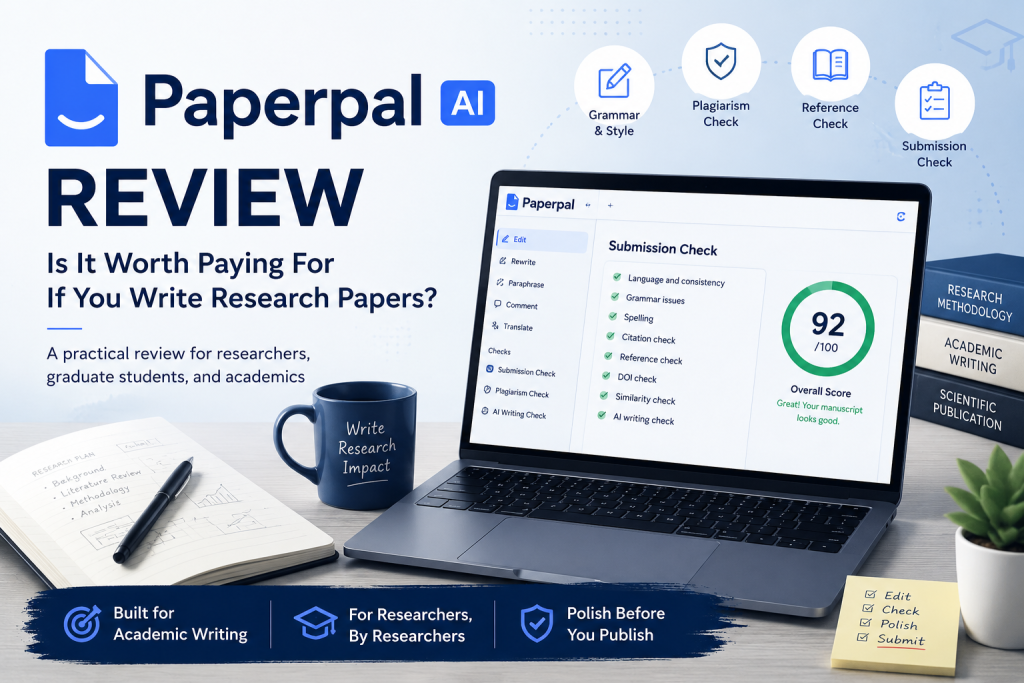
Submission Check (sometimes called Document Health Check) can flag a range of issues before submission, including:
- language issues and inconsistencies across the manuscript
- plagiarism / similarity flags
- AI-writing signals
- citation and reference mismatches
- DOI mismatches
- references listed in the bibliography but never cited in the manuscript, or vice versa
- citations appearing in the abstract
- some issues related to submission structure, figures, tables, or metadata
What matters here is not any single feature in isolation, but the fact that Paperpal pulls multiple final-stage checks into one workflow. Instead of editing sentences in one tool, checking references in another, and running a separate similarity check elsewhere, you get an additional layer of manuscript review right before sending the paper to your supervisor or submitting to a journal.
More practically, the value of Submission Check is that it helps catch the kinds of errors that don’t change the scientific quality of your research but can still make a manuscript look careless: mismatched references and citations, missing or incorrect DOIs, citations in the abstract when they shouldn’t be there, bibliography entries that are missing or unused, or passages with high similarity that need another look before submission.
It does not replace peer review, and it does not replace a journal’s own submission checklist. But if you’ve ever done a final pass on a manuscript and still worried that you might have missed a citation, a reference inconsistency, or some annoying formatting issue, this is exactly where Paperpal makes the most sense.
If You Already Use Grammarly or ChatGPT, What Does Paperpal Add?
This is the most important question when evaluating Paperpal, because many researchers already have their own tool stack.
If you use Grammarly, what you’re mainly getting is English editing. If you use ChatGPT or Claude, their strengths are brainstorming, explaining concepts, summarizing papers, or helping you outline ideas. If you use Zotero, Mendeley, or EndNote, those are tools for storing and managing your reference library.
Paperpal doesn’t fully replace any of those categories. What it tries to add is a final pre-submission review layer: academic English polishing, similarity checks, citation/reference mismatch detection, and a more centralized manuscript-checking workflow.
So if your current workflow already works well with Grammarly + ChatGPT + Zotero + Turnitin, the real question is not “Is Paperpal good?” It’s this:
Is Submission Check useful enough to justify adding another tool to my existing workflow?
For me, that’s also the fairest way to judge Paperpal.
Academic English and Paraphrasing: Useful, but Not the Main Reason to Buy It
Paperpal includes an academic-English grammar engine, along with commands such as rewrite, paraphrase, trim, and make academic. For non-native English speakers, these features can absolutely be helpful. They can make sentences tighter, reduce conversational phrasing, and move the writing closer to a more academic tone.
That said, I don’t think this is a strong enough reason to pay for Paperpal on its own. A lot of AI writing tools already do a decent job with grammar correction and paraphrasing. Paperpal becomes more compelling when those features are combined with Submission Check, plagiarism screening, and reference-related checks.
So if you’re mainly looking for a tool to help you “write better” in a broad sense, Paperpal may not be the first option I’d point to. It makes more sense if you already have a draft and need help polishing the manuscript before it goes out.
Plagiarism Checking Has Real Value; AI Detection Should Be Treated as Secondary
Paperpal includes both plagiarism checking and AI detection. Between the two, plagiarism checking is the part I take more seriously.
If you write review articles, theses, or manuscripts that involve a lot of literature synthesis, similarity checking is genuinely useful. Similarity doesn’t only come from deliberate copying. It can also show up when paraphrasing is too close to the source, when too much of the original sentence structure is preserved, or when you unintentionally reuse familiar phrasing from the field. Having an early warning layer that tells you which passages deserve another rewrite before submission is valuable.
That said, I still wouldn’t treat Paperpal’s plagiarism checker as a compelling reason to pay for the product if your university or institution already gives you access to a dedicated similarity-checking tool. Its value is better understood as an internal pre-submission check, not necessarily as a full replacement for specialized tools.
I’m even more cautious about AI detection. This is a general limitation of most AI detectors right now: they’re controversial, prone to false positives, and hard to treat as definitive evidence of academic integrity or misconduct. The most reasonable way to use it is as an internal warning signal, not as a judgment mechanism.
Where Paperpal Fits Well in the Research Writing Workflow
If I place Paperpal inside a real research writing workflow, I see four main strengths.
1. It’s built around academic writing workflows
Paperpal’s feature set is closely aligned with what paper writers actually deal with: academic English editing, plagiarism checks, reference-related checks, Submission Check, a Word add-in, and Overleaf integration. That makes it feel more relevant to manuscript writing than a general-purpose AI writing tool.
2. It is strongest at the final stage of the manuscript
Paperpal is most useful when you already have a draft and want to review it before sending it to a supervisor or submitting it to a journal. If your goal is to brainstorm ideas, ask questions about a new topic, or summarize a stack of papers, ChatGPT or Claude will probably be a better fit.
3. The Word and Overleaf integrations are genuinely practical
For researchers, these are two common writing environments. Native integration reduces copy-paste friction and makes the revision process more seamless.
4. It’s especially useful for non-native academic English writers
If your main bottleneck is expressing ideas clearly in academic English, Paperpal can help at the sentence-polishing level—especially once you already have a draft and are moving from “the paper is written” to “the paper is ready to submit.”
Limitations of Paperpal
A serious review also needs to be clear about where the product falls short. In Paperpal’s case, there are four limitations worth keeping in mind.
1. It does not replace research thinking
Paperpal can rewrite, paraphrase, or help generate a draft, but it cannot replace the actual intellectual work of research: understanding the literature, analyzing data, and building your own argument. If you use it to polish a manuscript, the value is fairly clear. If you expect it to “write the paper for you,” that expectation is unrealistic.
2. It is not a reference manager
Paperpal can catch missing DOIs or citation/reference mismatches, but that is not the same thing as managing a reference library. If you need long-term storage, organization, and citation management, tools like Zotero, EndNote, or Mendeley are still the better fit.
3. Its value drops if you already have a strong tool stack
If you already have access to Turnitin, a reference manager, ChatGPT / Claude for reading papers, and something like Grammarly for English editing, the remaining value of Paperpal becomes much narrower. At that point, the most practical question is whether Submission Check alone is useful enough to justify the extra cost.
4. Its AI writing features are not the product’s main strength
Features like make academic, rewrite, or generate text can make a manuscript read more smoothly, but they won’t necessarily improve the scientific reasoning behind it. If you buy Paperpal mainly for these AI-writing features, I think you’re unlikely to get the full value out of the product.
Paperpal Pricing
The pricing tiers mentioned in the materials I reviewed were:
- Free: $0/month
- Prime Monthly: $20/month
- Prime Annual: $55.2/year
If you only need it for a short period—for example, the final weeks before submitting a thesis or preparing one manuscript for submission—the monthly plan may make more sense. But if you regularly write and submit papers in English, the annual plan has a better chance of paying off.
Who Should Use Paperpal?
Paperpal makes the most sense for the following groups.
1. Graduate students and PhD researchers writing in English
Especially if you’re writing a thesis, dissertation, or turning a thesis chapter into a journal manuscript.
2. Faculty, postdocs, or researchers who submit papers regularly
If you repeatedly go through the cycle of writing → revising → submitting → revising again, a tool that is strong at the pre-submission stage can be more useful than a general grammar checker.
3. Non-native English researchers
If your biggest bottleneck is expressing ideas in academic English, Paperpal can help meaningfully at the final polishing stage.
4. Anyone who wants a final review layer before sending work to a supervisor or journal
This is the group that best matches Paperpal’s positioning.
Who Probably Shouldn’t Use Paperpal?
Paperpal is less compelling if you fall into one of these groups.
1. People who want AI to write the paper for them
If your expectation is to feed in a few prompts and let AI generate most of the research text, Paperpal is not the tool I would buy.
2. People who only need a general grammar checker
If your main need is basic English correction, Paperpal may be too specialized for what you actually need.
3. People who already have a mature workflow
If you already use Turnitin + Zotero/Mendeley + ChatGPT/Claude + Grammarly comfortably, Paperpal has to prove that Submission Check is useful enough to earn a place in that stack.
Final Verdict: Is Paperpal Worth Buying?
My short answer is:
Yes—if you’re writing research papers in English and what you’re missing is a final quality-control layer before submission.
I would not buy Paperpal just for the chatbot, AI detector, or text-generation features. Those may be useful, but I don’t think they are strong enough reasons on their own to pay for the product.
Paperpal’s real value lies elsewhere:
- polishing academic English and cleaning up phrasing
- checking similarity, references, citations, and some technical issues
- adding one more final review layer before a manuscript goes to a supervisor or journal
So if you regularly submit journal papers, are writing a thesis or dissertation in English, or handle the final polishing of your own manuscript, Paperpal is worth a serious look. But if what you really want is a chatbot for brainstorming or a general grammar checker for basic English corrections, it probably shouldn’t be your first choice.
If I had to reduce the entire review to one sentence, it would be this:
If you just want AI to help you write faster, Paperpal is probably not the first tool to buy. But if what you need is a final pre-submission check for your manuscript, Submission Check is the reason Paperpal starts to make sense.
