
Quick Answer
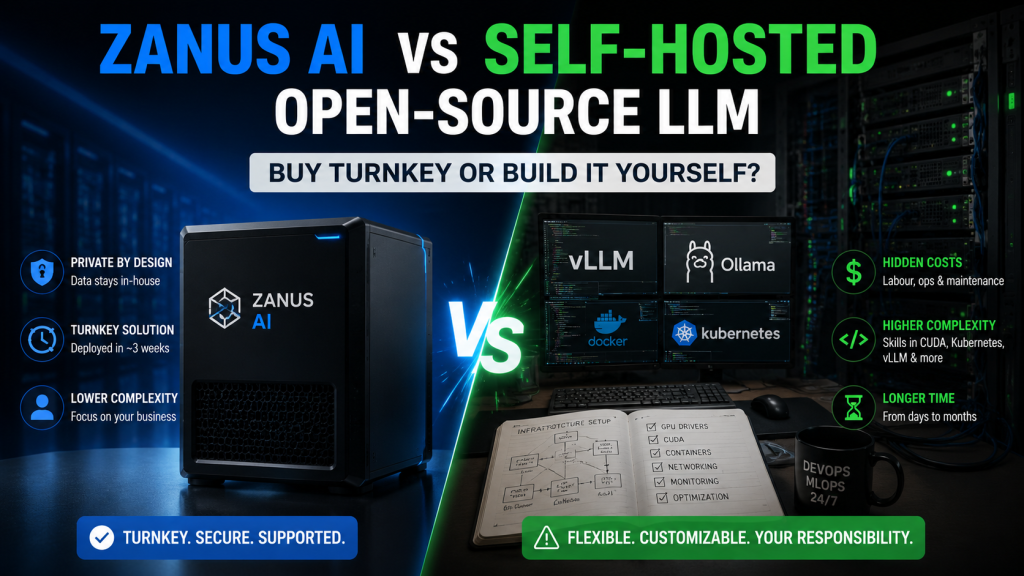
Zanus AI and self-hosted open-source LLMs both keep data in-house, but they diverge completely on who carries the technical workload. Self-hosting — deploying with tools like Ollama, vLLM, or LM Studio — costs less in hardware but requires an internal team to configure, run, and maintain the entire stack. Zanus AI packages hardware and software into a turnkey solution: a higher price tag in exchange for a much lighter technical burden.
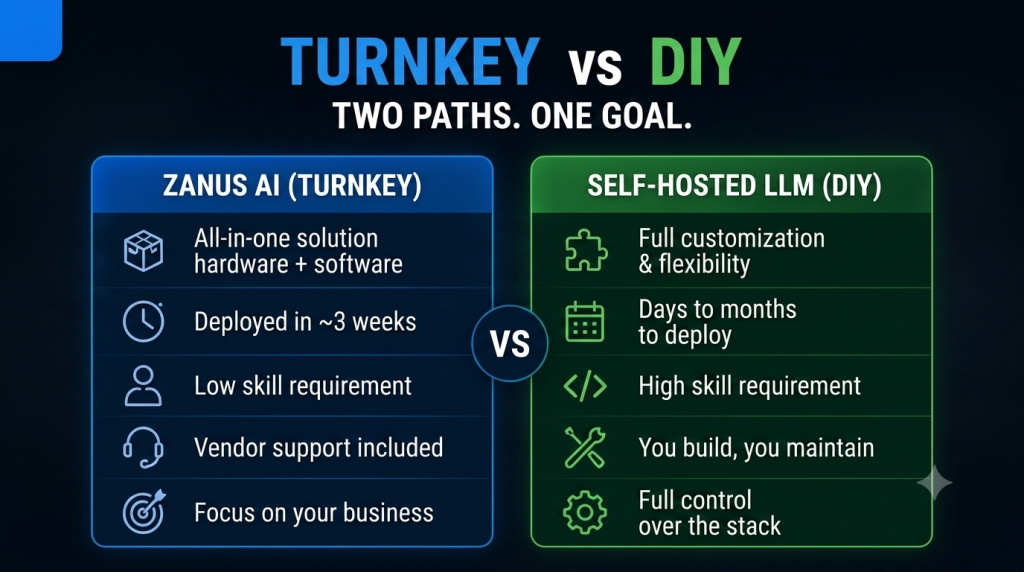
| Criteria | Zanus AI (Turnkey) | Self-Hosted Open-Source LLM (DIY) |
|---|---|---|
| Data Processing Location | Internal business infrastructure | Internal business infrastructure (same) |
| Upfront Cost | ~$20,000–$150,000+ (estimated, software included) | Lower on hardware alone — but with significant hidden costs |
| Deployment Time | ~3 weeks (vendor-claimed) | Days (simple Ollama setup) to months (production-grade vLLM stack) |
| Skill Requirement | Low — operational only, no build-out needed | High — requires understanding CUDA (the software that controls GPUs), containerization, and inference optimization (the process of an AI model generating a response) |
| Biggest Hidden Cost | Internal IT oversight (lighter, since it’s pre-packaged) | MLOps/AI infrastructure engineers (~$5,000–$10,000/month if outsourced) |
| Best Fit For | Businesses that want Private AI without a dedicated AI engineering team | Teams that already have ML/infrastructure engineers and want full customization |
1. What’s the Core Difference Between Zanus AI and Self-Hosted Open-Source LLMs?
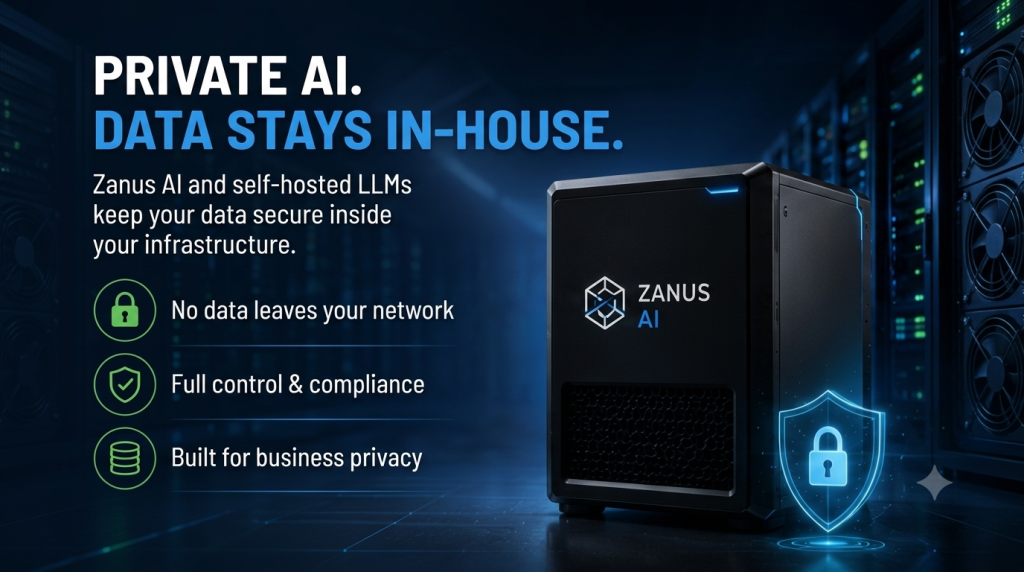
Both are forms of Private AI — data never leaves internal infrastructure. That’s where the similarities end.
Self-hosted open-source LLM means the business selects an open-weight model itself (Llama, Qwen, Mistral, DeepSeek, and so on), picks a serving tool (Ollama for testing or small scale, vLLM or TGI for production), configures the GPUs, containers, and API endpoints, and takes on responsibility for the entire operational lifecycle.
For individuals or small teams, tools like LM Studio have made that first step considerably easier — ThomasReview reviewed it in LM Studio Review (2026): The Easiest Way to Run AI Completely Offline?, where we clocked setup at around 3 minutes, found the interface genuinely beginner-friendly, and confirmed it worked fully offline once a model was downloaded. But that same review flagged its limits too: LM Studio is built for individuals and solo developers, and it isn’t designed for enterprise knowledge management or multi-user AI platforms — the exact line between self-hosting for an individual and self-hosting for a business.
At enterprise scale, self-hosting calls for a considerably more complex stack: vLLM to hit the throughput (queries handled per second) needed for multiple concurrent users — up to 19x faster than Ollama under heavy load, per industry benchmarks — Docker/Kubernetes for containerization (packaging software into independent, portable units that are easy to deploy across servers) and orchestration, a GPU cluster (multiple GPUs running in parallel) with enough capacity, and a team fluent in CUDA and tensor parallelism (the technique of splitting one large AI model across multiple GPUs) as well as inference optimization.
Zanus AI bundles all of that — hardware, software, and an industry-specific package — into a single purchase, deployed in roughly 3 weeks according to the vendor. In exchange, the business gives up the level of customization self-hosting offers.
2. Real Cost Comparison: Hardware, Operations, and Hidden Costs
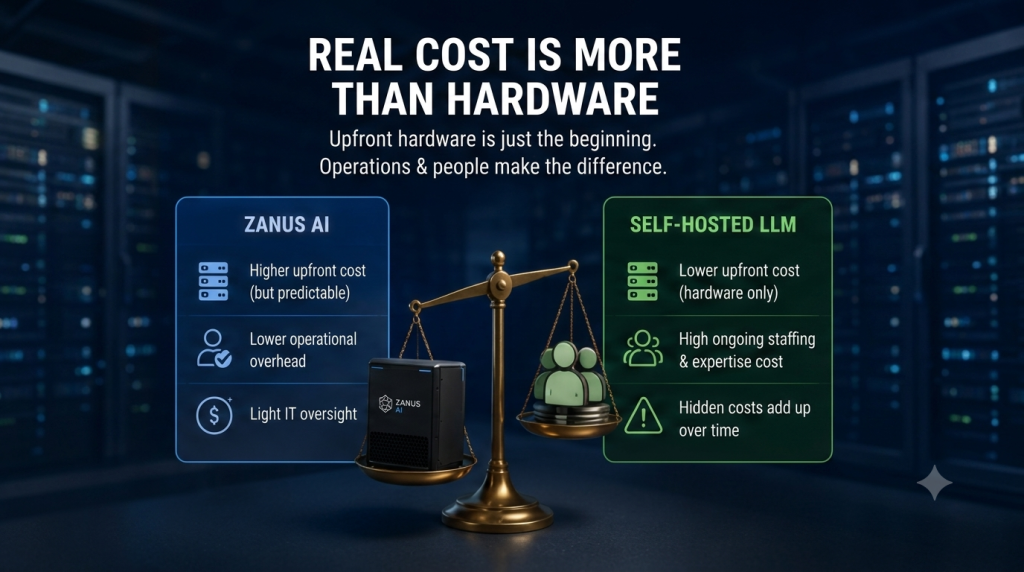
Quick Answer: Comparing hardware price alone, self-hosted DIY is almost always cheaper than Zanus AI. But once technical staffing is added in, that gap narrows considerably — for many organizations, MLOps staffing (engineers who run and maintain AI infrastructure) turns out to be the largest expense, not the hardware.
Hardware costs for self-hosting (per 2026 industry data):
- High-end consumer GPUs (RTX 5090) list at roughly $2,000, but real street prices have climbed to $3,500–$4,000+ due to a GDDR7 memory shortage, plus the need for a 1,200W+ power supply and matching cooling.
- Enterprise-grade GPUs like the NVIDIA H100 rent for roughly $2–$4/hour on cloud platforms, or, if purchased outright, an A100 amortizes to about $300/month over 36 months — considerably cheaper than long-term cloud rental ($2,000–$3,500/month) if workload is stable enough to justify it.
- Whether to buy or rent hinges on workload stability: buying makes sense for steady usage over 12+ months, renting makes more sense for variable workloads or a testing phase.
Hidden costs — where self-hosting tends to run more expensive than expected:
- Independent TCO analyses break self-hosting cost into three parts — hardware, and two components that consistently get underestimated: ongoing operations and the opportunity cost of engineering time.
- A system running on enterprise-grade GPUs like an H100, plus dedicated ops staff, can run $5,000–$10,000/month — approaching or exceeding what cloud AI providers would charge for equivalent token volume at small-to-mid usage scale.
- The break-even point between self-hosting and paying per token via cloud API typically lands around $20,000/month in API spend, or roughly 10–30 million tokens (the unit AI uses to measure processed text) per day — below that threshold, paying per API call is usually still cheaper than building your own infrastructure.
Versus Zanus AI: because hardware, software, and the industry-specific package are bundled into one price, Zanus AI costs more upfront but cuts hidden costs substantially — no need for a dedicated MLOps engineer to configure vLLM, containers, or inference optimization from scratch.
Figures above come from independent industry sources as of 2026 and are reference points, not guarantees — actual costs depend on scale, specific hardware choices, and regional labor rates. See our [Zanus AI Pricing: How Much Does Zanus AI Really Cost?] article for a full TCO breakdown on the Zanus AI side.
3. Deployment Complexity and Skill Requirements Compared
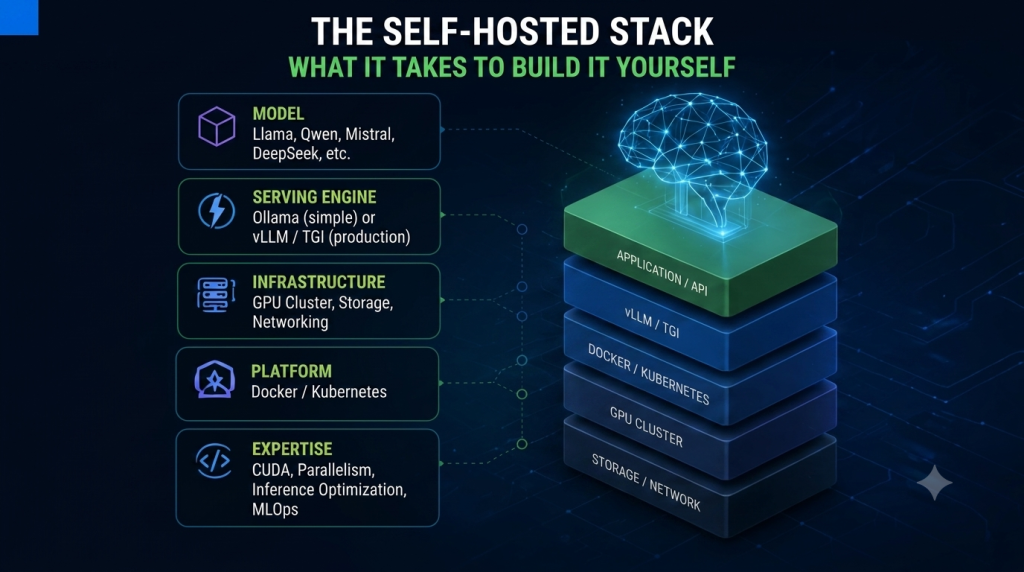
Quick Answer: Production-grade self-hosting requires a team that understands CUDA, containerization, and inference optimization — a real skills gap compared with simply operating a pre-packaged system like Zanus AI.
The common path recommended across the industry: start with Ollama (fast to install, suited for testing or a single user), then move to vLLM once serving multiple concurrent users in a production environment. That transition isn’t trivial — it requires:
- Configuring CUDA drivers and GPUs correctly.
- Understanding tensor parallelism for multi-GPU deployments.
- Containerizing with Docker and orchestrating with Kubernetes as things scale.
- Setting up observability (monitoring systems that catch problems early) — tracking latency, throughput, and queue depth (how many requests are waiting to be processed).
This is exactly the work a turnkey solution like Zanus AI has already done. Businesses using Zanus AI still need one internal IT point of contact to monitor the system and manage access, but they don’t need a deep MLOps team to build the stack from the ground up.
Bottom line: if a business doesn’t already have AI infrastructure engineers on staff, the skills gap for production-grade self-hosting is a real barrier — not just a hardware cost question.
4. Performance and Scalability Compared
Quick Answer: The right serving tool determines most of self-hosting’s performance outcome. Ollama is simple but noticeably slower under heavy load; vLLM gets close to production-grade performance but requires more complex configuration.
Per 2026 industry benchmarks:
- vLLM reaches throughput of roughly 793 tokens/second, compared with 41 tokens/second for Ollama under the same conditions — about a 19x gap under heavy load.
- At 128 concurrent users, vLLM holds P99 latency (the response time for the slowest 1% of requests) under 100ms, while Ollama’s latency can spike to around 673ms.
- Enterprise-grade GPUs like the H100 can hit roughly 580 tokens/second running a 70B-parameter model, at a cost of about $0.18 per million tokens — one of the best performance-to-cost hardware options currently available for large-scale self-hosting.
These numbers show that self-hosting can deliver competitive, even superior, performance versus calling a cloud API — some analyses report self-hosted H100 latency around 18ms versus ~350ms for cloud APIs — but only with the right tool and correct configuration. Pick the wrong tool (say, running Ollama for a multi-user production workload) and self-hosted performance can fall well short of an optimized, pre-packaged solution.
5. Summary: Which Approach Should You Choose?
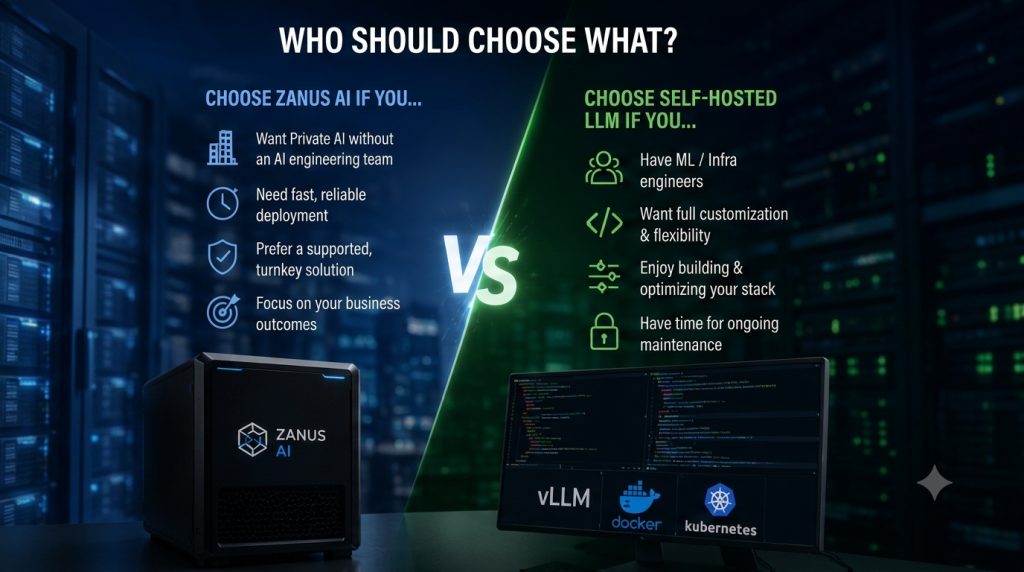
Choose self-hosting (Ollama/vLLM/open-source tools) if:
- You already have ML/infrastructure engineers capable of configuring and running the stack.
- You want full control to customize models, fine-tune (additional training to better fit your specific data), or experiment with multiple models.
- Your usage volume is large enough to clear the break-even point versus cloud API cost, but budget is limited for a full turnkey solution.
- You only need AI for a small team or personal/testing purposes — in that case, a tool like LM Studio is a reasonable starting point.
Choose Zanus AI if:
- You want Private AI without building (or wanting to build) a dedicated MLOps team.
- You prioritize deployment speed and stability over maximum customization.
- You need a bundled, industry-specific software package (Company Brain, workflow integration) rather than building one from scratch.
- You want a single vendor with clear pricing and accountability, rather than stitching together multiple open-source tools yourself.
📌 Related Reading: Exploring what running local AI looks like at the individual level before considering a business-scale solution? Read our hands-on review: LM Studio Review (2026): The Easiest Way to Run AI Completely Offline?
Also weighing cloud AI platforms? See our comparisons: [Zanus AI vs ChatGPT Enterprise] and [Zanus AI vs Claude Enterprise].
ThomasReview Verdict
Self-hosted open-source LLMs and Zanus AI aren’t really a “which is cheaper” question — they’re a “how much of the technical work does your business want to own” question. Self-hosting brings lower hardware cost and maximum customization, but it puts the entire burden of configuration, optimization, and operations on the internal team — a time and staffing investment that’s easy to underestimate until the system runs into trouble at peak hours.
Zanus AI trades that customization for certainty: one price, one accountable vendor, and a system already optimized for a specific enterprise use case. For organizations without an AI infrastructure team of their own, that trade-off is usually worth it.
Sources
- Zanus AI official website — hardware tiers, pricing structure, and product specifications for Prime, Quantum, and Enterprise Cluster
- vLLM vs Ollama vs LM Studio: The 2026 Production Self-Host Benchmark — throughput and P99 latency benchmark data across concurrency levels
- Self-Host LLM vs API 2026: Break-Even at $20K/Month Spend — break-even analysis between self-hosting and API spend
- Self-Hosting LLMs: Hidden Costs You’re Missing — engineering time, opportunity cost, and operational overhead analysis
- Zanus AI Pricing: How Much Does Zanus AI Really Cost? — ThomasReview’s full 3–5 year TCO breakdown on the Zanus AI side
- LM Studio Review (2026): The Easiest Way to Run AI Completely Offline? — ThomasReview’s hands-on testing of a consumer-grade local AI tool
Disclaimer: Performance and cost figures in this article come from independent industry analysis as of 2026 and are subject to change based on timing and specific configuration. Businesses should benchmark against their own actual workload before choosing between self-hosting and a turnkey solution.
