
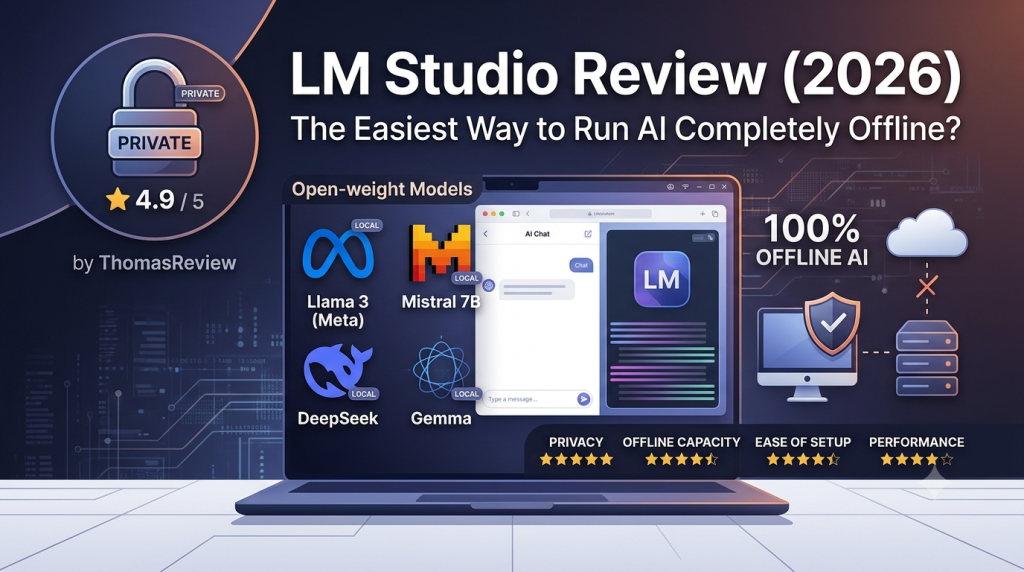
LM Studio is one of the easiest ways to run powerful AI models entirely on your own computer. Instead of sending prompts and documents to cloud-based services like ChatGPT or Claude, LM Studio allows you to download open-weight models—including Gemma, Qwen, Llama, Mistral, and DeepSeek—and perform inference locally. During our hands-on testing, setup took only a few minutes, the interface proved exceptionally beginner-friendly, and the application continued working perfectly even after disconnecting from the Internet. While it lacks native PDF support and some advanced features require signing in, LM Studio remains one of the strongest entry points into the world of Private AI.
ThomasReview Trust Snapshot
| Category | Rating |
| Privacy | ⭐⭐⭐⭐⭐ |
| Offline Capability | ⭐⭐⭐⭐⭐ |
| Ease of Setup | ⭐⭐⭐⭐⭐ |
| Performance | ⭐⭐⭐⭐☆ |
| Open Model Ecosystem | ⭐⭐⭐⭐⭐ |
| Beginner Friendly | ⭐⭐⭐⭐⭐ |
| Enterprise Readiness | ⭐⭐⭐☆☆ |
Privacy Score: ⭐ 4.9 / 5
ThomasReview Verdict
LM Studio isn’t trying to replace ChatGPT—it is trying to replace your dependence on the cloud.
If your priority is keeping conversations, source code, research papers, or business documents on your own device instead of remote servers, LM Studio is one of the best starting points available today. It combines a polished desktop experience with genuine offline AI, making Private AI accessible even for users with little technical experience.
Quick Verdict
Best for
- Privacy-conscious users: Anyone who wants AI to run locally without sending prompts or documents to external cloud services.
- Developers & AI enthusiasts: Users looking to experiment with open-weight models like Gemma, Qwen, Llama, DeepSeek, or Mistral without relying on APIs.
- Students & researchers: People handling sensitive notes or research who prefer complete control over where their data is processed.
- First-time Local AI users: Beginners searching for the simplest way to experience offline AI without learning command-line tools.
Not ideal for
- Users expecting ChatGPT-style cloud integrations, plugins, or collaborative workspaces.
- Businesses requiring enterprise knowledge management or multi-user AI platforms.
- Users needing native PDF analysis or advanced Retrieval-Augmented Generation (RAG) workflows out of the box.
Why Private AI Matters More Than Ever in 2026
Artificial intelligence has become part of everyday work. We ask AI to summarize contracts, debug source code, analyze financial reports, and brainstorm business strategies. But every time we paste sensitive information into a cloud-based chatbot, we also hand over a degree of control.
For individuals, that raises privacy concerns.
For businesses, it introduces compliance, intellectual property, and data governance risks.
As a result, one question is becoming increasingly common in 2026:
Can I enjoy the power of modern AI without sending my data to someone else’s servers?
This is exactly where Private AI enters the conversation.
Rather than depending on cloud infrastructure, Private AI tools allow language models to run directly on your own computer. Your prompts stay on your device, your documents remain under your control, and in many cases, Internet access is no longer required after the initial setup.
LM Studio is one of the leading applications driving this shift. Instead of asking users to learn Docker, Python, or complex terminal commands, it packages Local AI into a desktop application that feels familiar—even for beginners.
What Is LM Studio?
LM Studio is a desktop application for Windows, macOS, and Linux that enables users to download and run large language models (LLMs) locally.
Unlike ChatGPT, Claude, or Gemini—which perform inference on remote cloud servers—LM Studio executes AI models directly on your own hardware.
That distinction fundamentally changes how AI is used.
Instead of relying on subscriptions, API keys, or permanent Internet access, users download open-weight models once and continue interacting with them offline. The software currently supports a wide range of popular GGUF models, including Gemma, Qwen, Llama, Mistral, Phi, and DeepSeek, giving users the flexibility to choose the model that best matches their hardware and workload.
LM Studio also prioritizes accessibility. Rather than requiring command-line experience like some Local AI frameworks, it offers a clean graphical interface where users can discover models, download them, switch between them, and start chatting within minutes.
In short, LM Studio is not another AI chatbot—it is a desktop platform for running AI on your own terms.
ThomasReview Hands-on Testing
Rather than relying solely on product documentation, we installed and tested LM Studio ourselves to understand how it performs in real-world usage.
🧪 ThomasReview Test Bench
| Test Item | Result |
| Installation Time | ~3 minutes |
| Tested Model | Gemma 4 (6.3 GB) |
| Model Download Time | ~10 minutes |
| Account Required | Optional (recommended for full functionality) |
| Offline After Setup | ✅ Yes |
| Native PDF Support | ❌ No |
| Vision Support | ✅ Yes |
| Stability | ✅ No crashes or noticeable lag during testing |
First-Time Setup
Installing LM Studio was surprisingly straightforward. The application downloaded and installed in approximately three minutes, and the interface immediately guided us toward downloading our first AI model.
For testing, we chose Gemma 4, a 6.3 GB model that completed downloading in roughly ten minutes over a standard broadband connection.
Unlike many Local AI tools that require command-line commands or manual model imports, LM Studio presents its model library directly inside the application, making discovery and installation effortless.
User Experience
One of the first things we noticed was the simplicity of the interface.
Even users with limited technical knowledge should have little trouble navigating the application. Models are easy to locate, hardware requirements are clearly displayed, and switching between models requires only a few clicks.
This polished desktop experience is arguably LM Studio’s biggest advantage over more developer-oriented Local AI tools.
Real-World Tasks
We evaluated LM Studio using everyday productivity scenarios rather than artificial benchmarks.
During testing, the application successfully:
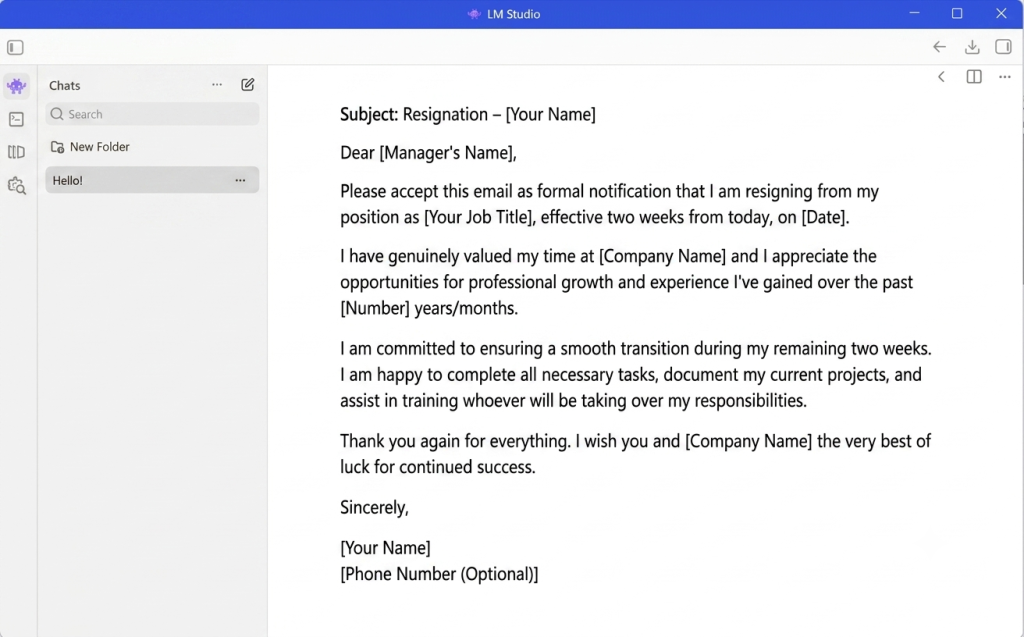
- generated professionally formatted emails,
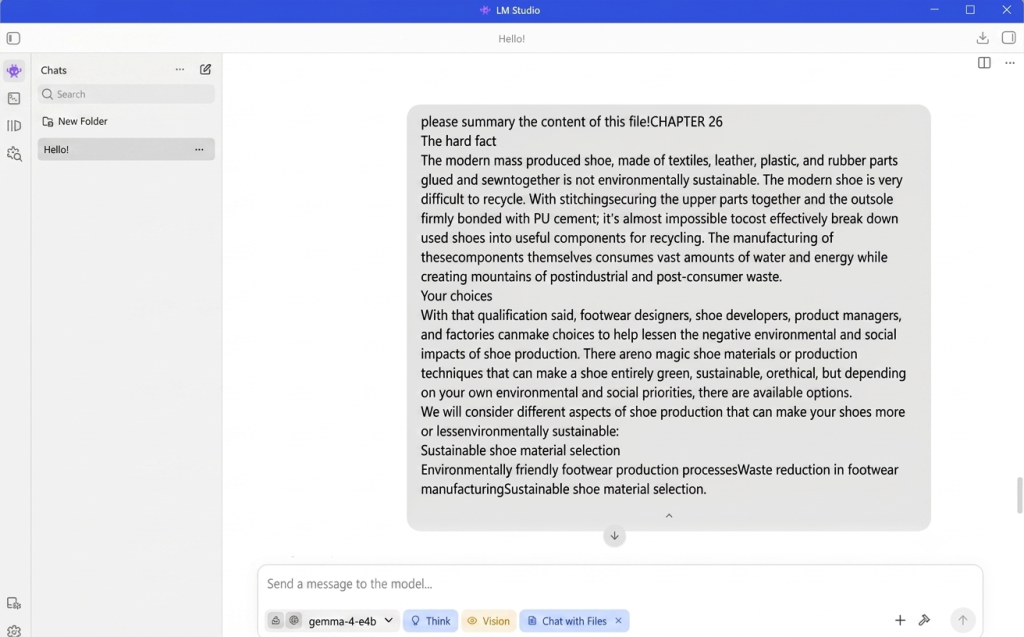
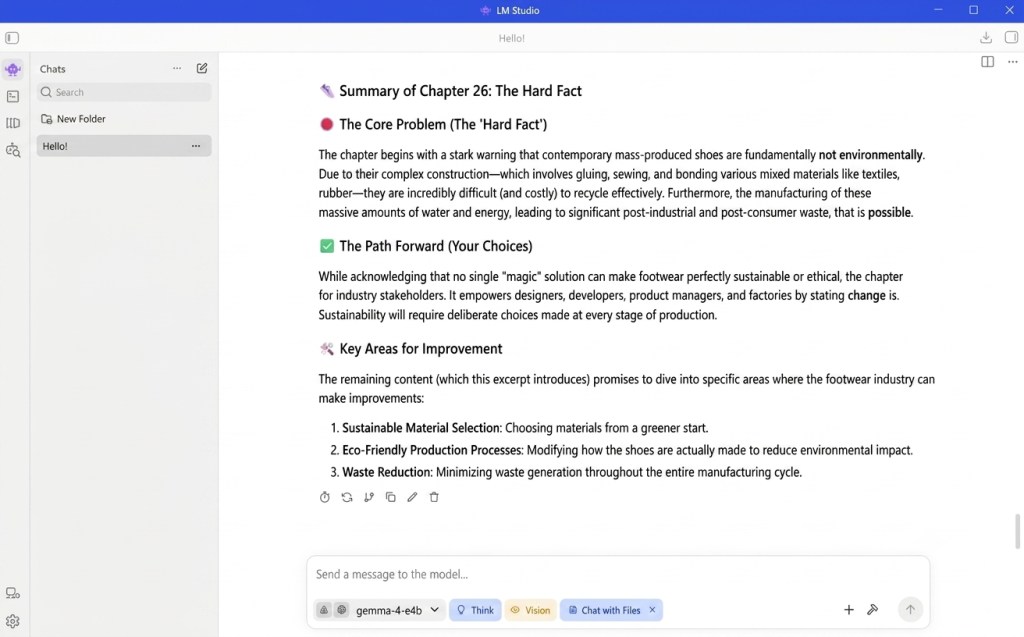
- summarized long blocks of pasted text,
- analyzed uploaded images accurately,
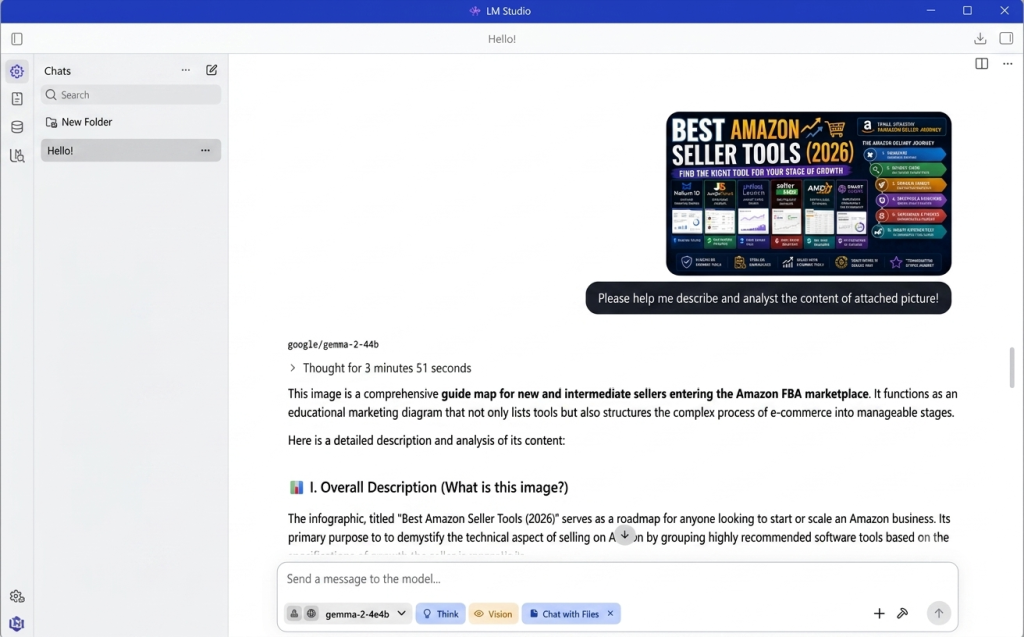
- answered follow-up questions based on image content.
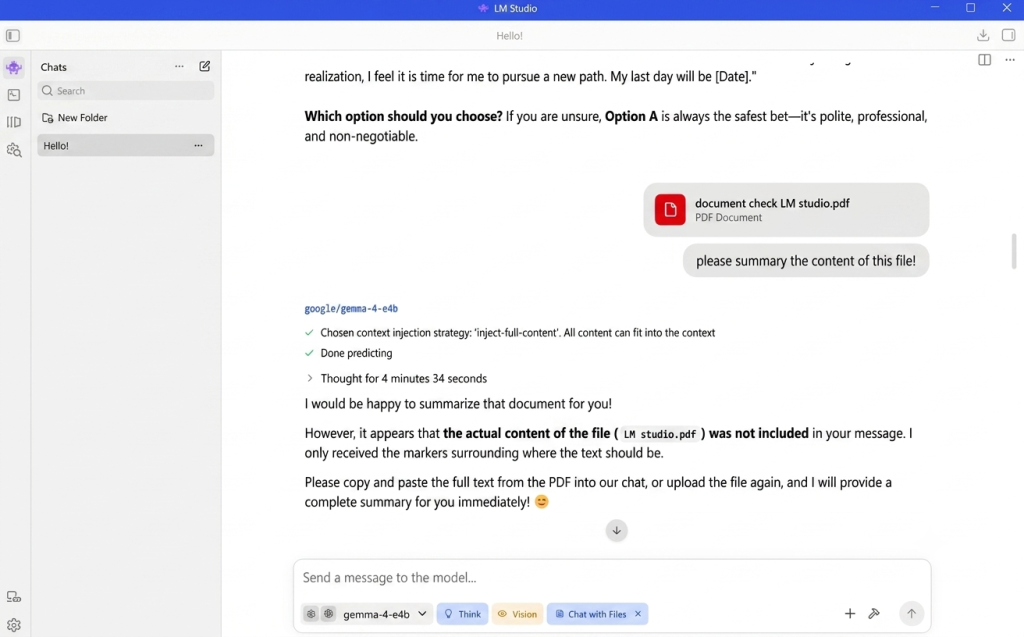
One limitation we encountered was document handling. LM Studio does not currently support opening PDF files directly. To summarize a PDF, we first had to copy its text into the chat window before the model could process it.
Offline Verification
The most important part of our evaluation was confirming whether LM Studio truly delivers on its “local AI” promise.
After downloading the model, we completely disconnected our computer from Wi-Fi and repeated the same tasks.
LM Studio continued functioning normally.
Chat responses, image analysis, and text generation all worked without requiring an Internet connection, confirming that inference remained entirely local after setup.
For privacy-conscious users, this is the feature that matters most—and LM Studio delivered exactly as promised.
Core Features You’ll Actually Use
LM Studio supports dozens of capabilities, but after researching the platform and testing it ourselves, we found that most users consistently rely on five core features. Rather than trying to showcase every menu item, these are the functions that genuinely define the LM Studio experience.
1. Built-in Model Discovery & Installation
The biggest barrier to running Local AI has always been installing models. Traditionally, users had to browse Hugging Face manually, download multiple files, and configure them through command-line tools.
LM Studio eliminates almost all of that complexity.
Its integrated model browser lets you search, compare, and download compatible models directly from within the application. During our testing, downloading the Gemma 4 (6.3 GB) model was straightforward and completed in roughly 10 minutes without requiring any manual configuration.
For beginners, this dramatically lowers the entry barrier into the Local AI ecosystem.
2. Desktop Chat Interface
Once a model is installed, LM Studio functions much like ChatGPT—but entirely on your own computer.
The desktop interface supports:
- Multi-turn conversations
- Markdown rendering
- Code formatting
- Conversation history
- Model switching
Unlike many developer-focused Local AI tools, no terminal commands are required. Everything is handled through a clean graphical interface, making the experience approachable even for users with limited technical knowledge.
3. Vision Support
Many modern open-weight models now support image understanding, and LM Studio takes advantage of this capability.
In our testing, we uploaded several images and asked the model to:
- describe the scene,
- identify objects,
- answer follow-up questions,
- extract visible text.
The image upload process was seamless, and the generated descriptions closely matched the actual content of the images.
While performance ultimately depends on the vision model being used, LM Studio provides an excellent framework for running multimodal AI completely offline.
4. Local AI API Server
One of LM Studio’s most underrated features is its built-in OpenAI-compatible local API server.
Instead of only chatting inside the desktop application, users can expose a local endpoint and connect external applications directly to their locally running model.
This opens the door to integrating LM Studio with:
- IDEs
- AI coding assistants
- Automation workflows
- Third-party desktop applications
- Custom software projects
For developers, this transforms LM Studio from a simple chatbot into a complete local AI platform.
5. Hardware-Aware Model Recommendations
Choosing the wrong model is one of the most common mistakes beginners make.
LM Studio helps reduce that risk by displaying hardware recommendations directly inside the application.
Based on both the software guidance and our testing, the following configurations provide a good starting point:
| Model Size | Recommended Hardware |
| 2B–4B | 8 GB RAM + 4 GB VRAM |
| 7B–8B | 16 GB RAM + 6–8 GB VRAM |
| 14B–32B | 32 GB RAM + 12–16 GB VRAM |
For Apple Silicon users, LM Studio also provides clear guidance on the recommended unified memory for each model category, making it much easier to choose a model that matches the available hardware.
What the Community Says
One of ThomasReview’s core principles is that a single hands-on test is never enough.
To validate our findings, we compared our experience with discussions across Reddit, GitHub, Hacker News, and the broader Local AI community.
Interestingly, the consensus was remarkably consistent.
What Users Love
Beginner-Friendly Experience
The overwhelming majority of users describe LM Studio as the easiest entry point into Local AI.
Instead of learning Docker, Python environments, or command-line utilities, users can download a model and begin chatting within minutes.
This aligns perfectly with our own testing.
Excellent Model Management
The integrated model catalog receives consistent praise.
Users appreciate being able to:
- browse supported models,
- compare hardware requirements,
- download models,
- switch between models,
without leaving the application.
Compared to manually managing GGUF files, this significantly improves the overall experience.
Local API for Developers
Developers frequently highlight LM Studio’s OpenAI-compatible API server.
Rather than rewriting applications, they can simply redirect existing AI tools to a local endpoint.
For anyone experimenting with private AI workflows, this feature adds considerable flexibility.
Genuine Offline Capability
Perhaps the most appreciated aspect is trust.
Users consistently report that once models are downloaded, LM Studio continues operating normally without Internet access.
Our testing confirmed exactly the same behavior.
Common Limitations
Native PDF Support Is Missing
This was one of the few criticisms that also appeared during our testing.
LM Studio currently cannot open PDF documents directly.
Users must first extract or copy the document text before requesting summaries or analysis.
For heavy document workflows, tools such as AnythingLLM provide a more complete Retrieval-Augmented Generation (RAG) experience.
Performance Depends on Hardware
Unlike ChatGPT, LM Studio does not run on expensive cloud GPUs.
Everything depends on your own computer.
A modern desktop GPU can deliver an excellent experience, while older laptops may struggle with larger models.
This isn’t a flaw—it is simply the nature of Local AI.
Some Advanced Features Require Login
Although LM Studio can absolutely run without an account, the community notes—and our testing confirmed—that certain features become available only after signing in.
Fortunately, the login is optional, and the application’s core offline capabilities remain fully usable without registration.
Privacy & Trust Verification
Privacy is the primary reason most people choose Local AI over cloud-based alternatives.
Instead of assuming local software is automatically private, ThomasReview evaluates each tool using our Trusted AI Framework.
ThomasReview Privacy Check
| Category | Result | Notes |
| Runs Completely Offline | ✅ | Fully functional after downloading the model |
| Internet Required After Setup | ❌ | Only needed for downloading models and updates |
| Account Required | ⚠️ Optional | Login unlocks additional features but is not mandatory |
| Sends Prompts to Cloud | ❌* | Local inference remained on-device during our testing |
| API Key Required | ❌ | No OpenAI API key needed |
| Supports Open Models | ✅ | Gemma, Qwen, Llama, Mistral, DeepSeek, Phi and more |
| Native PDF Support | ❌ | Requires copying text manually |
Assuming the user runs locally downloaded models rather than external APIs.
ThomasReview Privacy Score
| Category | Rating |
| Privacy | ⭐⭐⭐⭐⭐ |
| Offline Capability | ⭐⭐⭐⭐⭐ |
| Local Processing | ⭐⭐⭐⭐⭐ |
| Transparency | ⭐⭐⭐⭐☆ |
| Account Flexibility | ⭐⭐⭐⭐☆ |
Overall Privacy Score: ⭐ 4.9 / 5
LM Studio earns one of the highest Privacy Scores we’ve awarded because it genuinely enables offline AI inference while giving users complete control over where their data is processed.
Hardware Recommendation
Before downloading a model, it’s worth matching it to your hardware.
If you’re just starting, lightweight models such as Gemma 4 (4B) offer an excellent balance between speed and quality.
Users with 16 GB RAM and a dedicated GPU can comfortably move into the 7B–8B class, while larger models are best reserved for high-end workstations.
Choosing a model that matches your hardware often has a greater impact on the user experience than choosing the “smartest” model available.
ThomasReview Final Verdict
LM Studio succeeds because it focuses on a single mission:
Making Private AI accessible
It doesn’t attempt to replace enterprise AI platforms or cloud productivity suites. Instead, it removes the technical barriers that have traditionally prevented everyday users from experimenting with Local AI.
Our hands-on testing confirmed that installation is quick, the interface is exceptionally beginner-friendly, and offline inference works exactly as advertised. Combined with strong community support and broad compatibility with open-weight models, LM Studio stands out as one of the most approachable Local AI platforms available in 2026.
If you’re taking your first step into the world of Private AI, LM Studio is one of the best places to begin.
Frequently Asked Questions (FAQs)
- Can I use LM Studio without an Internet connection?
Yes. Once you’ve downloaded a model, LM Studio can generate responses entirely offline. During our testing, all core chat functions continued working normally after disconnecting from Wi-Fi.
- Do I need to create an account?
No. An account is optional. You can use LM Studio without signing in, although some features are restricted. Logging in with Google, GitHub, or email unlocks the full experience.
- Does LM Studio support PDF files?
Not natively. At the time of testing, PDF documents couldn’t be opened directly. To summarize a PDF, we had to copy its text into the chat window first.
- Which AI models can LM Studio run?
LM Studio supports a broad range of GGUF models, including Gemma, Qwen, Llama, Mistral, DeepSeek, Phi, and many others, allowing users to choose models that best fit their hardware and use cases.
